Dark Mode Clock: Perfect Setups for Night Owls & Students
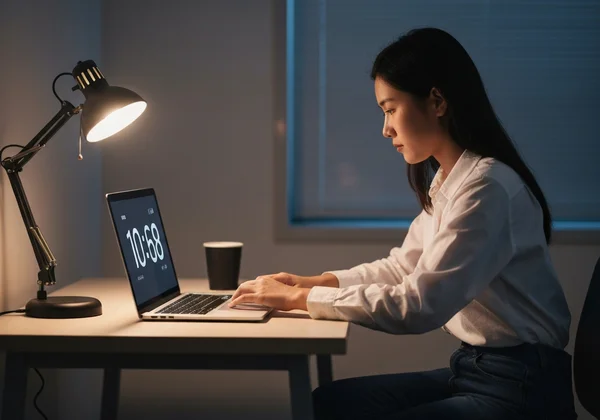
The clock hits 11 PM, but your work is far from over. Whether you're a student preparing for exams or a professional meeting a deadline, late nights are a reality for many of us. But the bright glare of a standard computer screen can be a major source of eye strain and distraction. Are bright screens ruining your late-night focus?
A simple change can make a huge difference: switching to a dark mode clock. This tool transforms your screen into a gentle, low-light time display that’s easy on the eyes and helps you stay on task. It creates a calm, focused environment. You'll be free from the harsh light that can disrupt your concentration and even your sleep cycle.
With our full screen clock, you can instantly create a beautiful, full-screen dark mode clock that matches your style and needs. It’s more than just a clock; it’s a productivity tool designed for focus. You can try the online clock right now to see how it works.
Activate & Customize Your Online Clock Dark Mode
Getting started with a dark mode clock shouldn't be complicated. This tool is built on simplicity. You can go from a bright, distracting screen to a sleek, focused time display in just a few seconds. This section will guide you through the quick setup and show you how to fine-tune your settings for the perfect experience.
Quick Setup: Turning On Dark Mode with a Tap
We believe that great tools should be intuitive. You don’t need to read a long manual or create an account to get started. Activating dark mode on our clock is as easy as flipping a switch.
Here’s how to do it:
- Head to our online clock homepage. The clock will appear instantly.
- Locate the "Settings" button at the bottom of the screen. It looks like a gear icon.
- Click on "Settings" to open the customization panel.
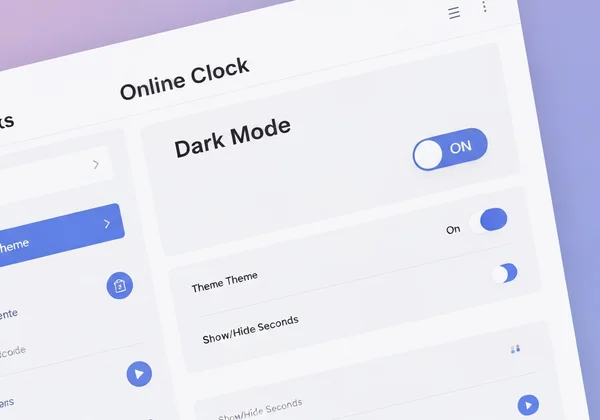
- Find the "Dark Mode" option and simply toggle it on.
That's it! Your screen will immediately switch to a stylish dark theme, reducing glare and creating a more comfortable viewing experience. This quick setup is perfect for when you need to quickly change your display for a late-night study session or a dimly lit room.
Fine-Tune Your Focus: Advanced Dark Mode Settings
While the one-tap setup is great, the true power of this tool lies in its customization. Your ideal dark mode clock should be perfectly tailored to your workflow. Once you've activated dark mode, you can adjust other elements to create a completely distraction-free environment.
Consider these additional settings:
- Clock Themes: Dark mode works beautifully with all our themes. Try the classic "Flip Clock" for a retro vibe or the "LED" theme for a modern, digital look.
- Show/Hide Seconds: For tasks that require precise timing, keeping the seconds visible is helpful. For deep work where you want to reduce visual noise, you can easily hide them.
- Date Display: Decide whether you want the date to appear below the time. A clean, time-only display can enhance focus.
After making your adjustments, remember to click the "Save Changes" button. This is a crucial step. It ensures all your preferences are saved directly in your browser for your next visit, without sending any of your data to a server.
Crafting the Ideal Full Screen Dark Clock Aesthetic
A functional tool should also be beautiful. A well-designed digital space can inspire creativity and improve your mood, which is especially important during long hours of work or study. The goal is to create a full screen dark clock that's both functional and beautiful, fitting right into your setup.
Theme Pairings: Selecting the Best Look for Your Night Setup
Your online clock is a part of your digital desktop. It should complement your wallpaper and overall aesthetic. Our online clock offers a variety of unique themes that take on a new personality in dark mode, allowing you to find the perfect match.
Here are a few popular pairings to inspire you:
- The Minimalist: Combine dark mode with our simple "Digital" theme. The clean, crisp numbers on a black background provide a classic, no-frills look that’s perfect for any modern desktop.
- The Retro Futurist: Select the "LED" theme in dark mode. The glowing digits create a cool, sci-fi atmosphere reminiscent of vintage alarm clocks and mission control panels.
- The Tactile Classic: The "Flip Clock" theme is a fan favorite. In dark mode, the white numbers on black panels have a high contrast that is both stylish and incredibly easy to read from a distance.
Experiment with different themes to find the one that fits your personality. A clock you enjoy looking at can make studying or working late feel a little less like a chore.

Reduced Eye Strain: The Health Benefits of a Dark Display
The benefits of a dark mode clock go beyond just looking good. Staring at a bright white screen for hours, especially in a dark room, can lead to digital eye strain. Symptoms can include dry eyes, headaches, and blurred vision.
A dark display fights eye strain in key ways. It cuts screen light to reduce glare. Plus, it lowers blue light exposure—which messes with sleep.
Pick a full screen dark clock from our privacy-first tool. It's a smart move for your eyes and health.
Elevate Your Night Study Clock Experience
For students, focus is everything. The digital world is full of distractions, from social media notifications to endless browser tabs. A dedicated night study clock can help you reclaim your attention and create an environment that promotes deep, uninterrupted work. Our clock is designed to be the ultimate study partner.
Fullscreen Immersion: Minimizing Distractions for Deep Work
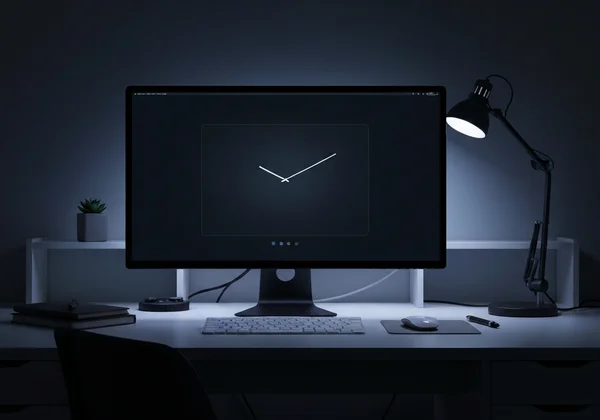
The biggest enemy of productivity is distraction. A simple notification can pull you out of your flow and make it difficult to get back on track. This is where the fullscreen feature becomes a game-changer. With a single click, you can turn your entire monitor into a dedicated clock.
This immersive experience removes all other visual clutter from your screen. No dock, no menu bar, no open tabs—just the time, elegantly displayed. This is incredibly effective for time-blocking techniques like the Pomodoro Method, where you work in focused 25-minute intervals. By dedicating your screen to the clock, you create a powerful psychological cue that it is time to concentrate.
You can even use this tool on a second monitor. Drag the browser window to your extra screen and activate fullscreen mode. This gives you a persistent, ambient time display while you work on your main screen, helping you manage your time without adding another distraction.
Privacy-First: Your Dark Mode Settings Are Always Local
In an age where personal data is collected everywhere, we believe in a different approach. Your preferences are your own, and your privacy should be protected. That’s why our tool operates on a "privacy-first" principle.
When you customize your clock and click "Save Changes," your settings are stored locally in your computer's browser. They are never uploaded to our servers or shared with anyone. This means:
- No account needed: You can use all features without signing up or logging in.
- No tracking: We don’t track your theme choices or usage habits.
- Instant loading: When you return to the site, your saved settings load instantly from your own device.
This privacy focus brings peace of mind. Your data stays safe. Your space stays yours.
Master Your Dark Mode Clock for Enhanced Focus & Comfort
Choosing the right tools can transform your late-night work and study sessions from a struggle into a focused, comfortable experience. A dark mode clock is more than just a utility; it's a statement about how you value your time, your health, and your digital environment.
You've seen how our tool lets you flip on dark mode, pick cool themes, ease your eyes, and block out distractions—all with your privacy locked in. Now it’s your turn to experience the difference.
Ready to take control of your screen and enhance your focus? Give our online clock a try now to design your perfect setup.
Your Questions About Dark Mode Clocks Answered
What is the best online clock for studying at night?
The best online clock for studying at night is one that minimizes distractions and reduces eye strain. Our online clock is an ideal choice because its full-screen dark mode creates an immersive, low-light environment. The clean interface and customizable themes help you stay focused on your work without the harsh glare of a standard screen.
How can I customize the appearance of my online clock?
Customizing your clock with this tool is simple. Click the "Settings" icon to access a panel where you can choose from various themes (like Flip, LED, or Comic), switch between 12/24-hour formats, toggle the date and seconds display, and activate dark mode. Just remember to hit "Save Changes" to keep your settings for next time.
Is there a free online clock with diverse themes and dark mode?
Yes, our tool is a completely free online clock that offers a wide range of features. It includes multiple unique themes and a fully functional dark mode. There are no hidden fees or subscriptions required to access any of the customization options. You can try it for free and explore all the available styles.
Can I use a fullscreen dark mode clock on my computer or second monitor?
Absolutely. Our clock is a web-based tool, so it works in any modern browser on any computer. You can easily open it and click the fullscreen button for an immersive experience on your main display. For a multi-monitor setup, simply drag the browser window to your second screen before going fullscreen to create a dedicated time display.